Duration: September 2025 - January 2026
Role: Interaction designer, UX, UI, research
Tools: Figma
Overview
During my internship, I worked on designing a new concept for a travel planner for Kalmar Länstrafik. The existing solution was identified as difficult to use, technically limited, and not aligned with modern accessibility standards.
The goal was to create an intuitive and responsive experience that allows users to quickly plan their journey regardless of device or context. By applying user-centered design principles, I developed a solution that simplifies complex information while supporting long-term scalability and maintainability.
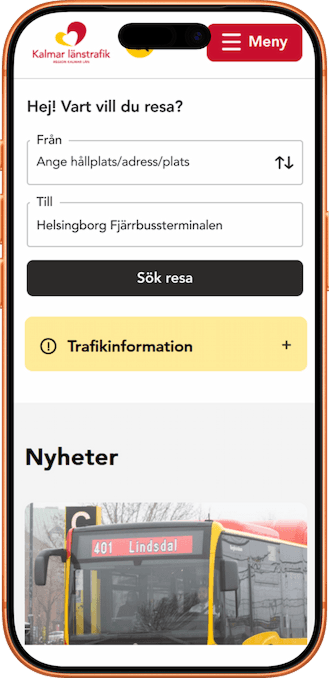
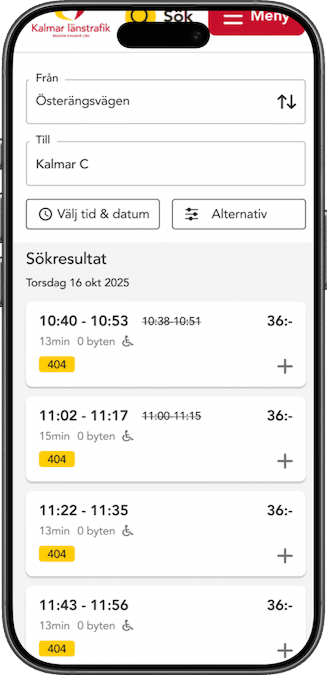
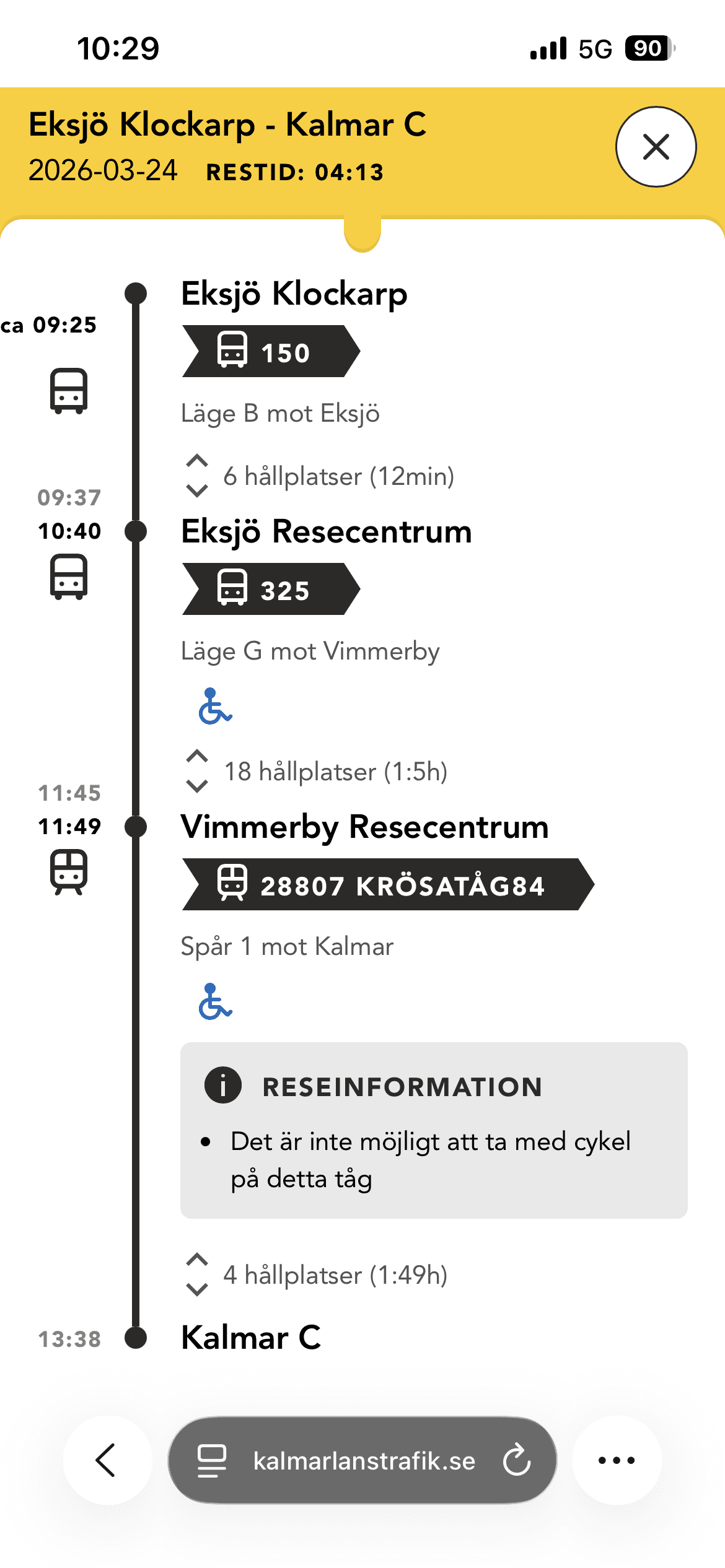
Existing interface
The existing solution suffered from poor usability, outdated structure, and limited accessibility.
My process
The project was driven by a user-centered design approach, combining research, analysis, and iterative design.
01. Research
Competitive analysis of existing journey planners
User testing of the current system
Interviews with stakeholders from Kalmar Länstrafik
02. Analysis
Thematic analysis of collected data
Identification and prioritization of key user problems
Requirement definition based on user needs
03. Ideation & design
Concept development and wireframing
Heuristic workshop with developers and stakeholders
Design exploration in Figma
04. Testing & iteration
User testing of proposed solutions
Iterations based on feedback and insights
Challanges and approach
The project involved addressing several challenges related to usability, accessibility, and system complexity. The main focus was to simplify a feature-rich service while meeting modern requirements for performance, scalability, and inclusive design.
01. Information overload
The existing solution presented too much information at once, making it difficult for users to quickly understand and compare travel options.
01. Response
I restructured the content by prioritizing key information and creating a clear visual hierarchy. By grouping related elements and reducing noise, the interface became easier to scan and navigate.
02. Lack of accessibility
The interface did not meet modern accessibility standards and was not designed for a wide range of users.
02. Response
I designed with WCAG 2.1 AA guidelines in mind, focusing on contrast, readability, and clear interaction patterns to ensure an inclusive experience.
03. Inefficient user flow
Users had to go through multiple unnecessary steps to complete simple tasks, creating friction in the experience.
03. Response
I simplified the flow by reducing steps and guiding users through a more structured and intuitive journey.
Early explorations and iteration
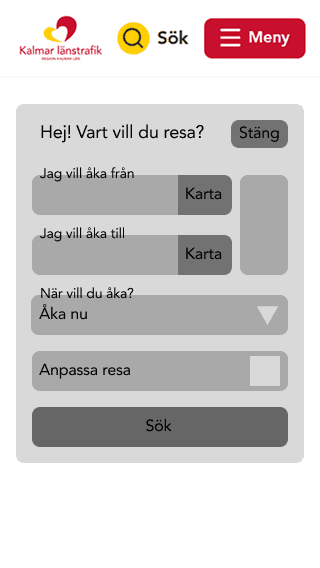
In the early stages, I explored different concepts and layouts to understand how the travel planner could be structured in a more intuitive way. Initial concepts focused on exploring structure, hierarchy, and feature scope rather than visual design.
Explorations
Exploring functionality
Initially, I experimented with including a wide range of features to cover multiple user needs. However, this resulted in a cluttered and overwhelming interface.
Layout and structure
I tested different layout approaches, including card-based and list-based designs, to find a balance between information density and clarity.
Key insight
These explorations made it clear that a more minimal and focused approach led to a significantly better user experience.
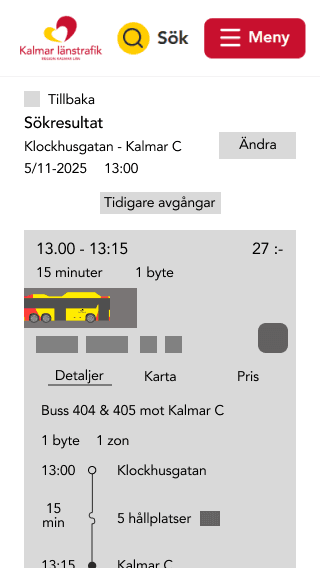
Iterations
Through iterative design, I refined the solution from a complex and feature-heavy interface into a more focused and user-friendly experience. Each iteration was based on insights from previous versions.
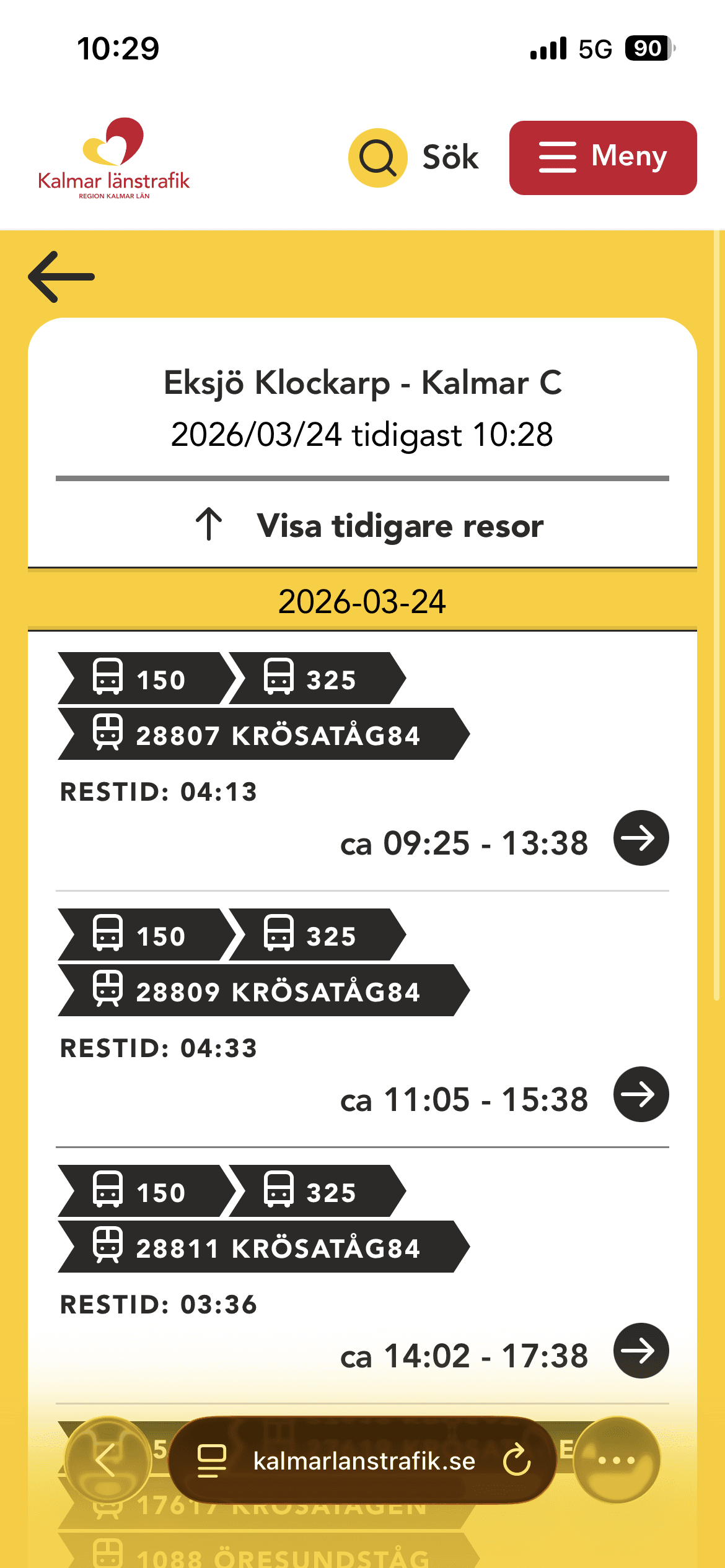
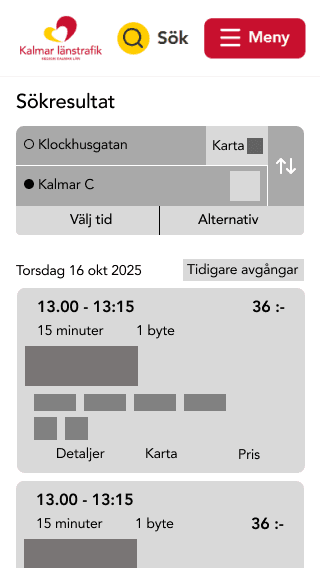
Iteration 01 - Trip details
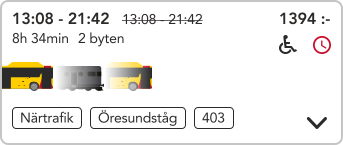
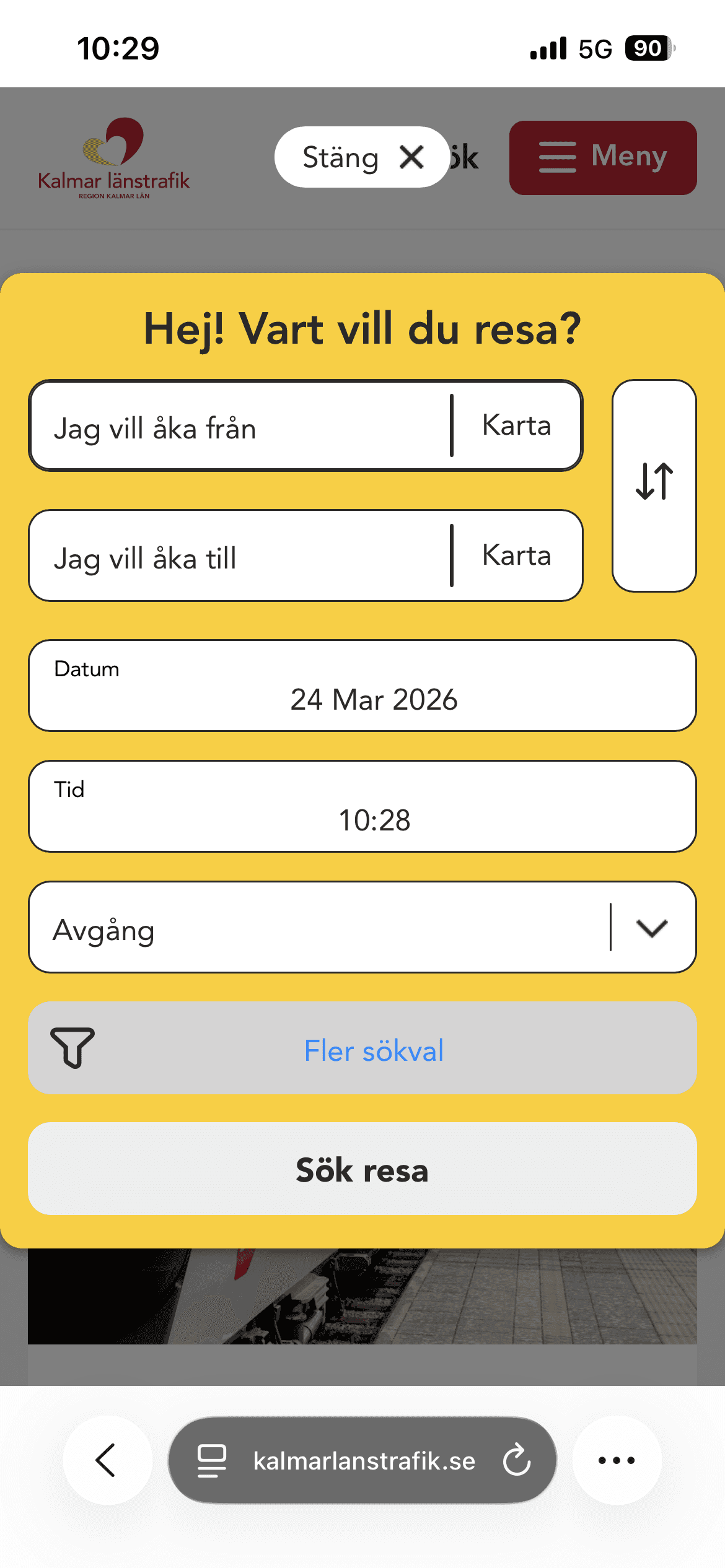
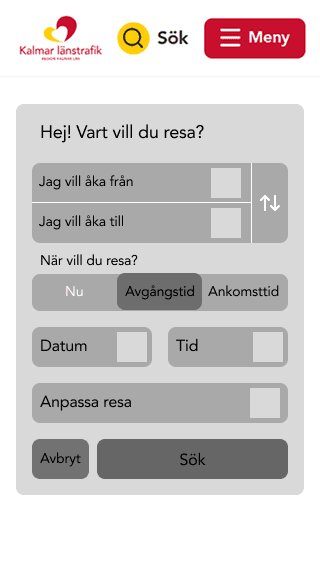
Iteration 02 - Search engine
Problem: The search flow included too many options upfront, which created unnecessary cognitive load.
Change: I moved secondary features such as “select from map” and “choose time” to a later step, allowing users to first focus on selecting stations.
Impact: This created a more focused and intuitive flow where users can search first and refine their trip afterwards.
Iteration 03 - Map functions
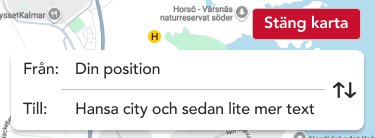

Problem: The map view included too many functions, which made the interface feel cluttered and unclear.
Change: The search function was removed to allow users to explore and select stations directly on the map.
Impact: This created a more focused experience with fewer distractions and a clearer user flow.
Final solution
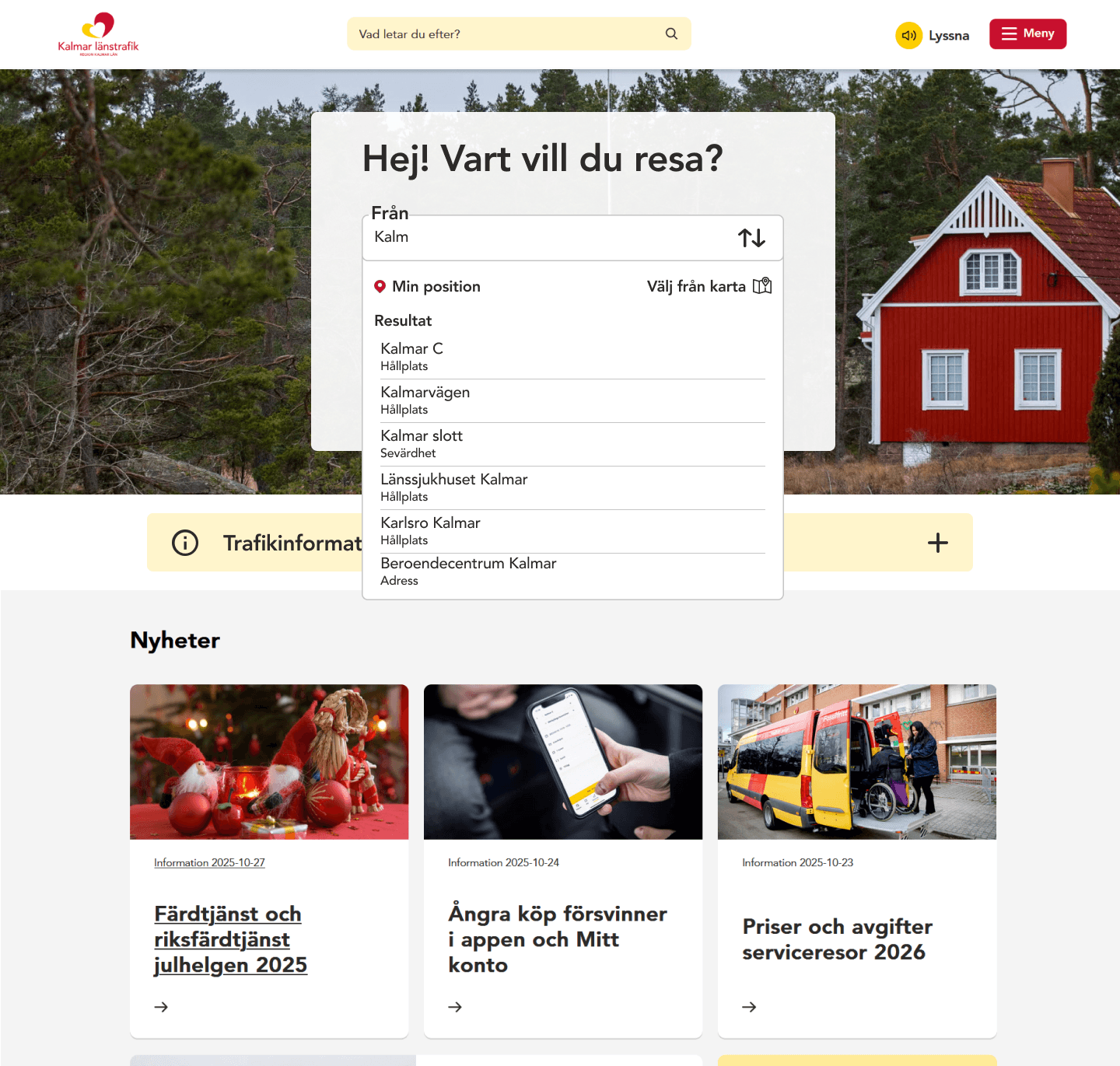
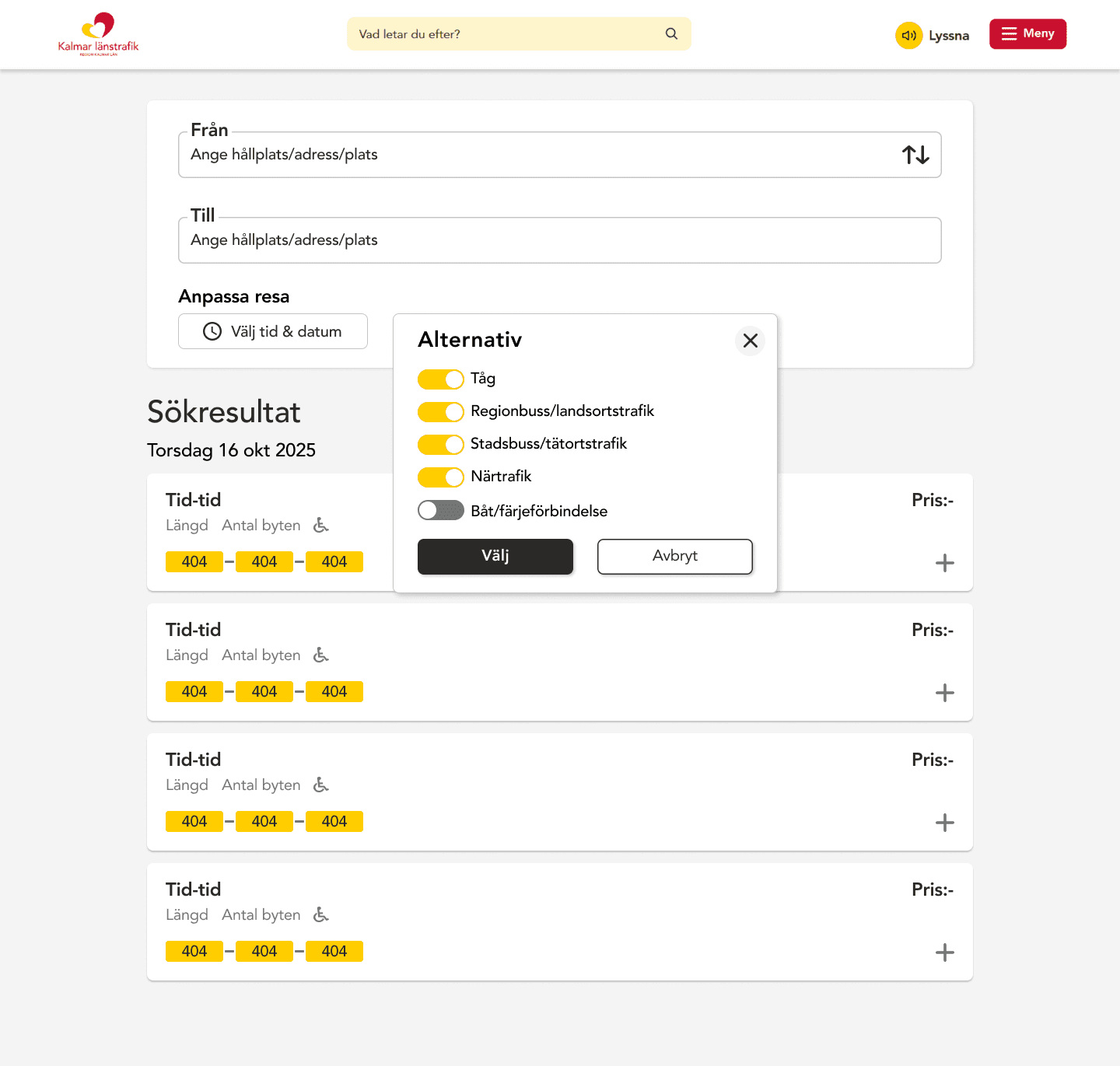
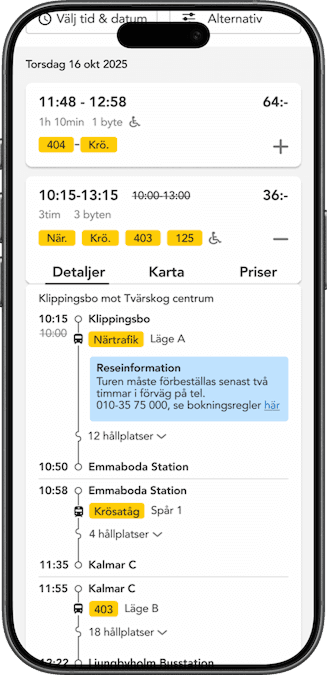
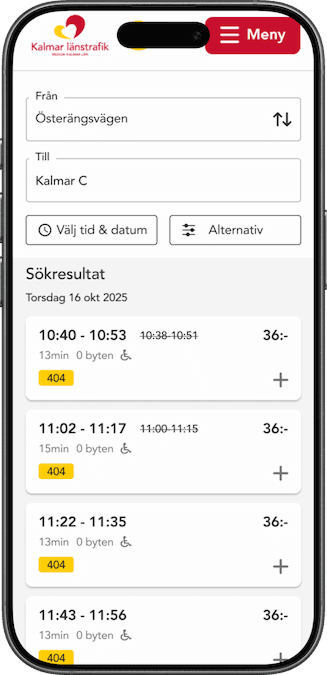
The final solution is a responsive and accessible travel planner designed with clarity and simplicity in mind. By prioritizing essential features and creating a consistent design system, the solution improves usability while supporting future scalability and development.
Desktop
Mobile
Accessibility & clarity
Modern, scalable design
The interface is clean and minimal, focusing only on essential functionality to reduce cognitive load. The design follows Kalmar Länstrafik’s visual identity while introducing a modern and consistent system. It is also built with scalability in mind, allowing new features to be added without compromising usability.
Responsive experience
The solution is fully responsive and optimized for mobile, tablet, and desktop. By adapting layouts and interactions across devices, users can plan their journeys seamlessly regardless of context.
Reflection
This project provided valuable insights into how to balance user needs, technical constraints, and design decisions when working with complex systems.
Simplicity over complexity
I learned the importance of stepping back and focusing on what the user actually wants to achieve. By simplifying the interface and reducing unnecessary elements, I was able to create a more intuitive and user-friendly experience.
Designing with visual hierarchy
I learned how important it is to guide the user through a clear visual hierarchy. By carefully adjusting font size, color, weight, and placement, I was able to create a natural flow through the interface, making it easier to find and process information without effort.
Iteration improves clarity
Through iterative design, I was able to continuously refine both structure and interaction. Each iteration helped reduce friction and move the solution closer to a clear and usable product.